SiteSnap
Prove the migration was clean.
You finish a migration at 2am. Next morning the client emails: "the wrong site is showing." SiteSnap is how you answer that in one reply — here is your site before I touched it, here it is now, pixel for pixel identical. And if it did change, it changed before the migration, without your knowledge.
Automate. Simplify. Steadfast.
Windows desktop app · MIT licensed · No account, no key, no phone-home
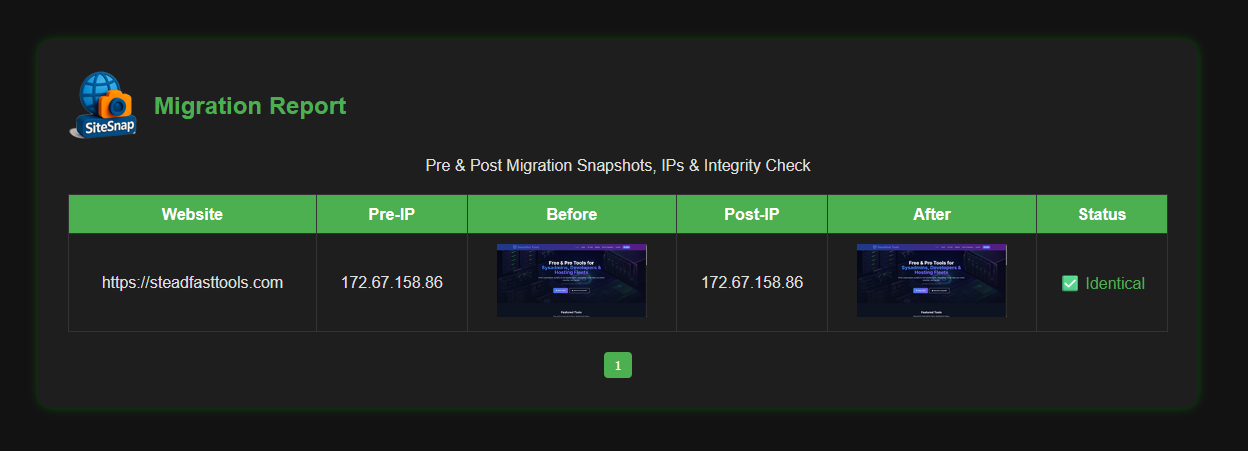
This is what the client sees
A standalone HTML file. Mail it, attach it to the ticket, or keep it as your own record of what that site looked like on that date.
Four steps, and the job has a paper trail
Each migration is a named job. Close the app, come back tomorrow, pick the job back up exactly where you left it.
Create a job
One job per migration. State is written to disk, so the job survives a reboot mid-move.
Capture "before"
Screenshot every site and record the IP each one currently resolves to. Do this before you touch anything.
Capture "after"
Once DNS has moved, run it again. Same list, same job, new IPs.
Generate the report
Diffs every pair, flags anything that moved, and writes the HTML. Export as ZIP with the screenshots included.
A managed workflow, not a one-shot script
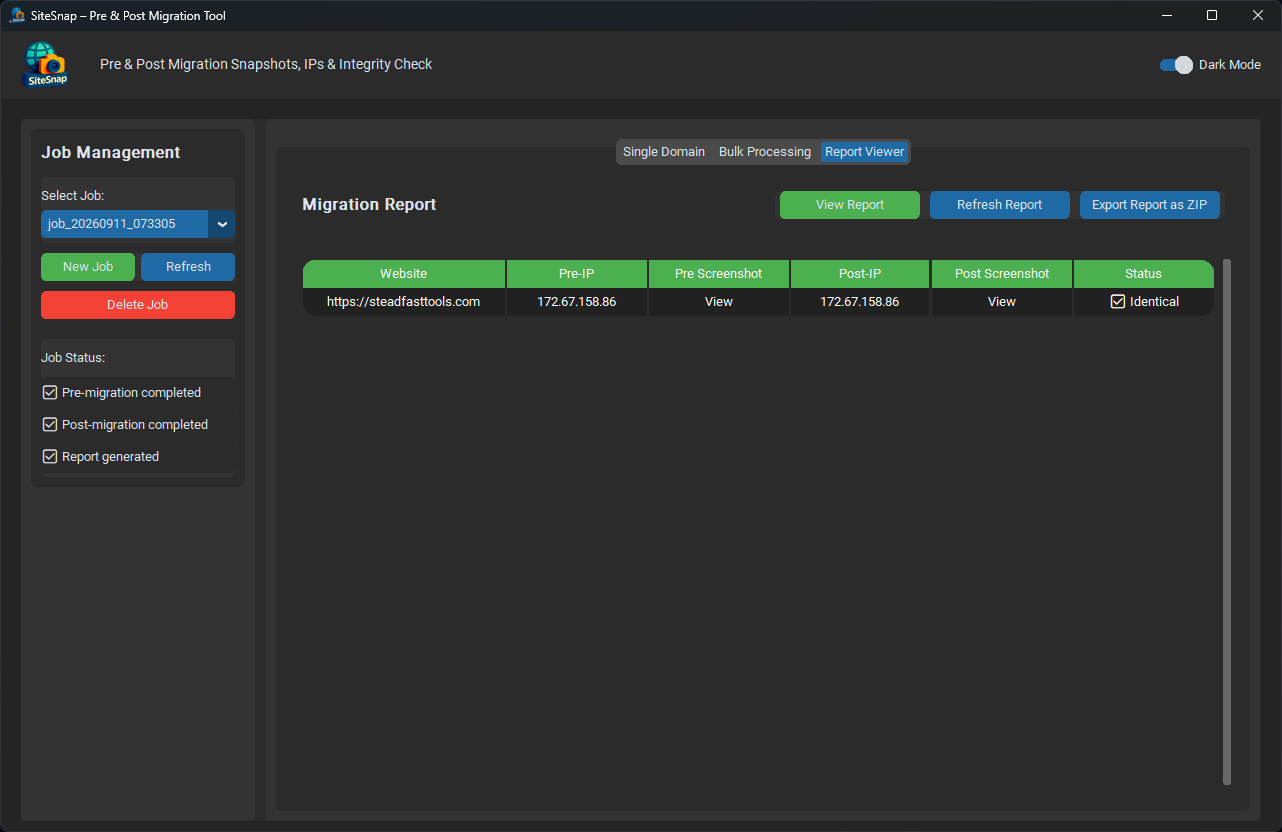
Job list on the left, status checkboxes showing exactly how far through you are, and the results table on the right.
Built for real batches
Single domain when that's the job, or a 200-domain list when it isn't. Five captures run concurrently.
IP resolution at both ends
Pre-IP and Post-IP side by side. Sometimes the screenshots match and the IPs are the story — DNS hasn't moved yet.
Messy domain lists welcome
Load from .txt
or .csv, through a seven-encoding fallback.
A UTF-16 export out of Excel just works.
Job state on disk
Every job keeps its own directory of screenshots and its own state file. Nothing is held in memory waiting to be lost.
Export as ZIP
Report plus every screenshot in one archive, ready to attach to a ticket or hand over at sign-off.
Light and dark
In the app and in the generated report. The report remembers the reader's choice, not yours.
Built for one person doing the migration
This is not fleet tooling and it doesn't pretend to be. It's for the solo sysadmin, the one-person hosting outfit, and the freelancer who took a migration gig this weekend. The person doing the move runs it, and verifies the move for themselves.
I wrote it because I spent years being the person on the other end of that "the wrong site is showing" email, with nothing to point at but my own memory of what the site looked like four hours earlier.
When "Different" doesn't mean broken
The comparison is a whole-page pixel diff, deliberately blunt — a migration that went wrong usually goes visibly wrong. The trade-off is that anything which legitimately changes between two captures will flag as Different:
So when a site you know is healthy comes back Different, open the two screenshots and look at what moved. A rotating banner is noise. A default host landing page, a missing stylesheet or an SSL warning is not — and that's the one you needed to catch before the client did.
A capture that fails outright is reported as failed, never quietly counted as identical.
Working on a migration? Check the domain first.
VeriSite gives you DNS, certificate expiry, TLS, SPF, DKIM, DMARC and registry status for a domain in one report — unlimited lookups, running locally. Worth knowing what you're inheriting before you move it.
Look at VeriSiteDownload SiteSnap
Free forever. MIT licensed. No account, no licence key.
Download v1.0.0Windows 10/11 · Python 3.10+ (the installer bundles 3.12 if you don't have it) · Google Chrome for captures
Settled an argument for you?
SiteSnap is free and stays free. If it's saved you one awkward conversation with a client, a coffee keeps the next tool coming.
Buy Me a Coffee