VeriSite
Scan. Snap. Secure.
Every free domain-check site on the internet caps you at two to five lookups a day, then asks for an email address. VeriSite runs on your machine. There is no quota, because there is no one else's server to rate-limit you.
Automate. Simplify. Steadfast.
Windows installer · MIT licensed · No account, no key, no phone-home
One domain. One page. Everything you were going to check anyway.
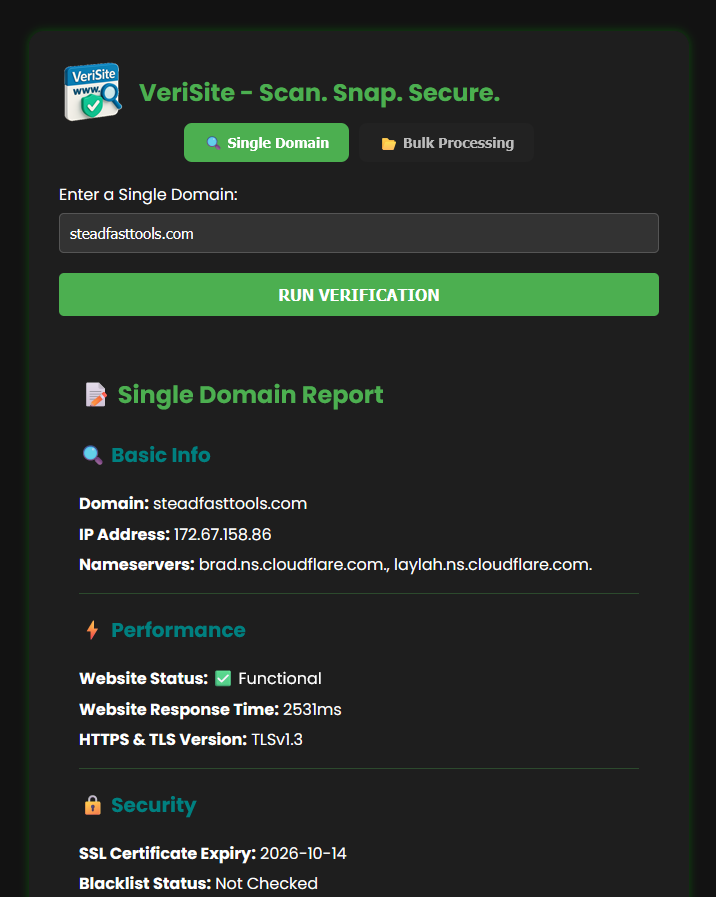
DNS, response time, certificate expiry, the TLS version actually negotiated, SPF, DKIM, DMARC, WHOIS, registry status and expiry — and a full-page screenshot of what the site looked like when you ran it.
Why it runs on your machine
The free checker in your bookmarks
- • Two to five lookups a day, then a signup wall
- • One domain at a time
- • Every domain you check is someone else's analytics row
- • Results from their network, not yours
- • Gone the day they decide to monetise it
VeriSite
- • Unlimited lookups. No account, no key, no quota
- • Bulk mode: paste a list or upload a file, up to 50 per run
- • Nothing leaves your machine except the lookups themselves
- • Resolves from your network — usually the one you're debugging
- • MIT licensed. It cannot be taken away from you
It's a local Flask app with a desktop shortcut. Double-click, and it opens in your browser
at 127.0.0.1:5000, bound to
loopback only — it refuses to start on a public interface without a token, and
refuses to enable debug mode off-loopback at all.
What it checks
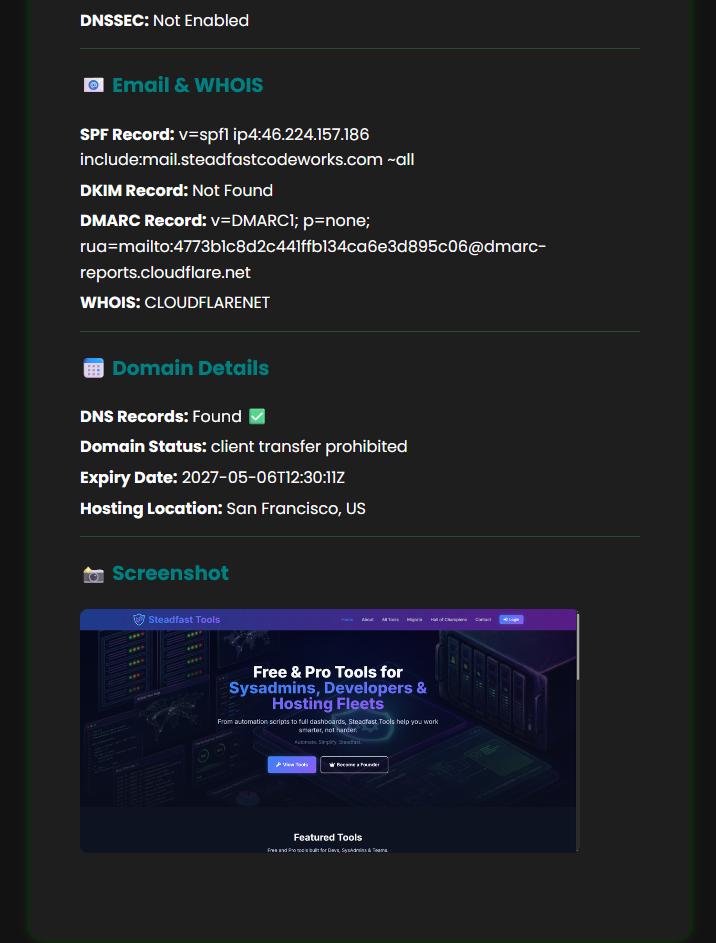
Grouped the way the report is, so this list and the screenshots above agree with each other.
Basic Info
Resolved IP, authoritative nameservers, and whether DNS answers at all.
Performance
Reachability and response time in milliseconds, following redirects to wherever the site actually ends up.
Certificate & TLS
Expiry date, and the TLS version negotiated in a real handshake — not guessed from a header.
SPF, DKIM & DMARC
SPF is matched across every TXT record, so a domain carrying half a dozen verification tokens still resolves correctly. DKIM probes the common selectors, and only when the domain has MX records at all.
Domain Details
Registry status and expiry via RDAP, read from the expiration event specifically. Plus DNSSEC, WHOIS network owner and hosting location.
Screenshot
A 1920×1080 headless Chrome capture of the live page, click to enlarge. If Chrome isn't installed, every other check still runs and the app tells you why the screenshot is missing.
Bulk, because one domain is never the job
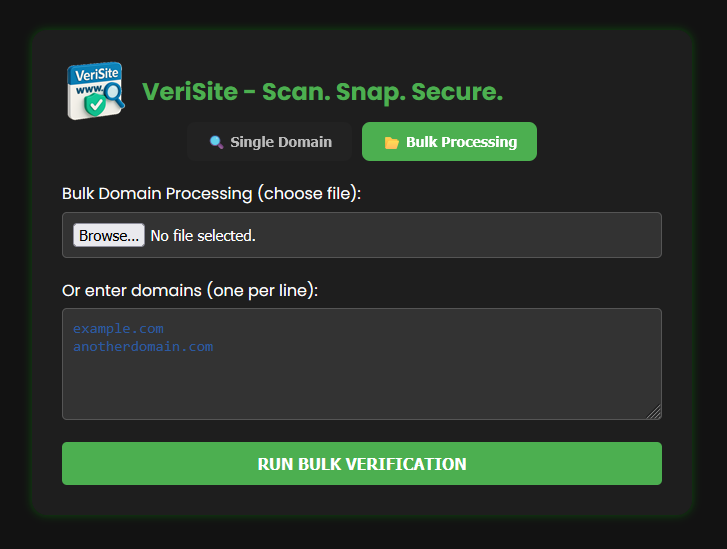
Paste a list one per line, or upload a .txt or
.csv. Progress streams live as each domain
completes, and you get one HTML report at the end covering all of them.
- Up to 50 domains per run
- Duplicates and malformed hostnames dropped, and reported
- Each scan capped by a wall-clock budget, so one dead domain can't stall the batch
- Report saved to disk — keep it, mail it, diff it later
It reports what it actually checked
Look closely at the report above and you'll see Blacklist Status: Not Checked. Reputation lookups aren't wired up yet, so VeriSite says so. It would be trivial to print a green "Clean" there instead and nobody would ever know the difference — which is exactly why plenty of tools do. A verdict you didn't earn is worse than no verdict, because you'll act on it.
The same principle runs through the mail checks. A DNS lookup that times out reports
Lookup Failed, never
Not Found — because "unknown" and "absent"
lead you to two very different afternoons.
Migrating a site? Prove it landed clean.
VeriSite tells you a domain is healthy right now. SiteSnap captures it before and after a migration and builds a report showing the two side by side — the evidence you hand a client who swears the wrong site is showing.
Look at SiteSnapDownload VeriSite
Free forever. MIT licensed. No account, no licence key.
Download v1.0.0Windows 10/11 · Python 3.10+ (the installer bundles 3.12 if you don't have it) · Google Chrome for screenshots, optional
Saved you a signup wall?
VeriSite is free and stays free. If it's earned a place in your toolkit, a coffee keeps the next one coming.
Buy Me a Coffee